Teacher · School leadership
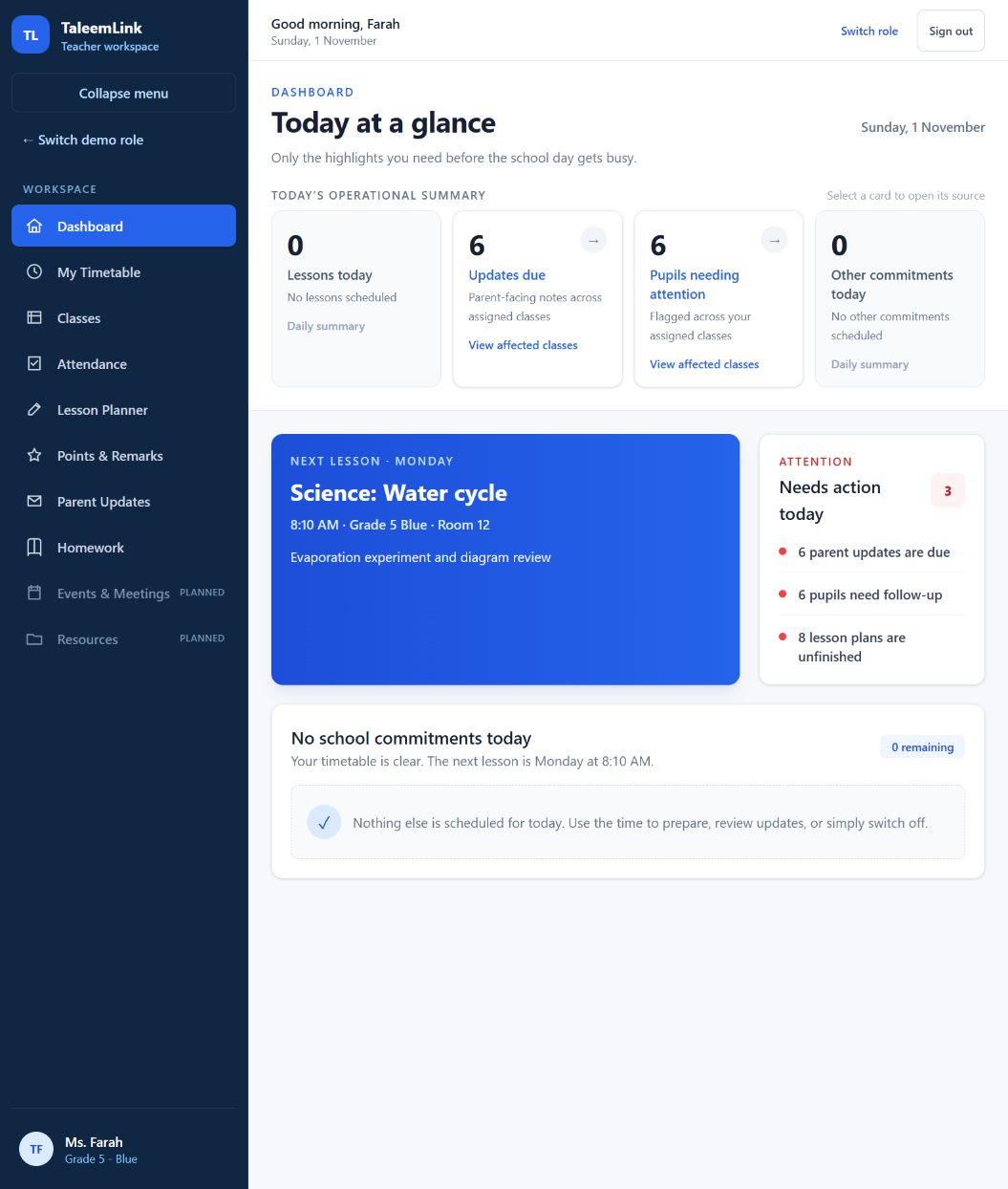
Teacher workspace: choose the right task
Workspace reference · Reviewed 1 November 2026 · TaleemLink product & support team
The teacher menu groups daily teaching tasks. Availability depends on your school’s rollout and your assigned duties.
Step by step
- Start with Dashboard for a summary of the day and items needing attention.
- Use My Timetable to check lessons, and Classes to find the assigned class context.
- Use Attendance for register tasks and Lesson Planner for lesson preparation when those modules are enabled.
- Use Points & Remarks for learning feedback, Parent Updates for family communication, and Homework for assignments.
- Before saving, confirm the school, class, child and audience. Teaching access is limited to explicit class or subject assignments.
- Review the confirmation and saved history. A screen preview alone is not evidence that a record was saved.
Expected outcome
You choose the correct teaching task and check its context before acting.
Availability & important notes
The example interface comes from the current demonstration. Production persistence and assignment-policy integration must pass release gates before a school uses real records.
Still need help?
Start with your school administrator for account access or school records. Use the school’s known contact if the site is unavailable. Never share your password.
How to get support →