Teacher
Teacher: find your way around
Demo guide · Reviewed 1 November 2026 · TaleemLink product & support team
Use the teacher workspace to explore your day, classes and teaching tools.
Step by step
- Choose Teacher on Live Demo and sign in using the fictional details on that page.
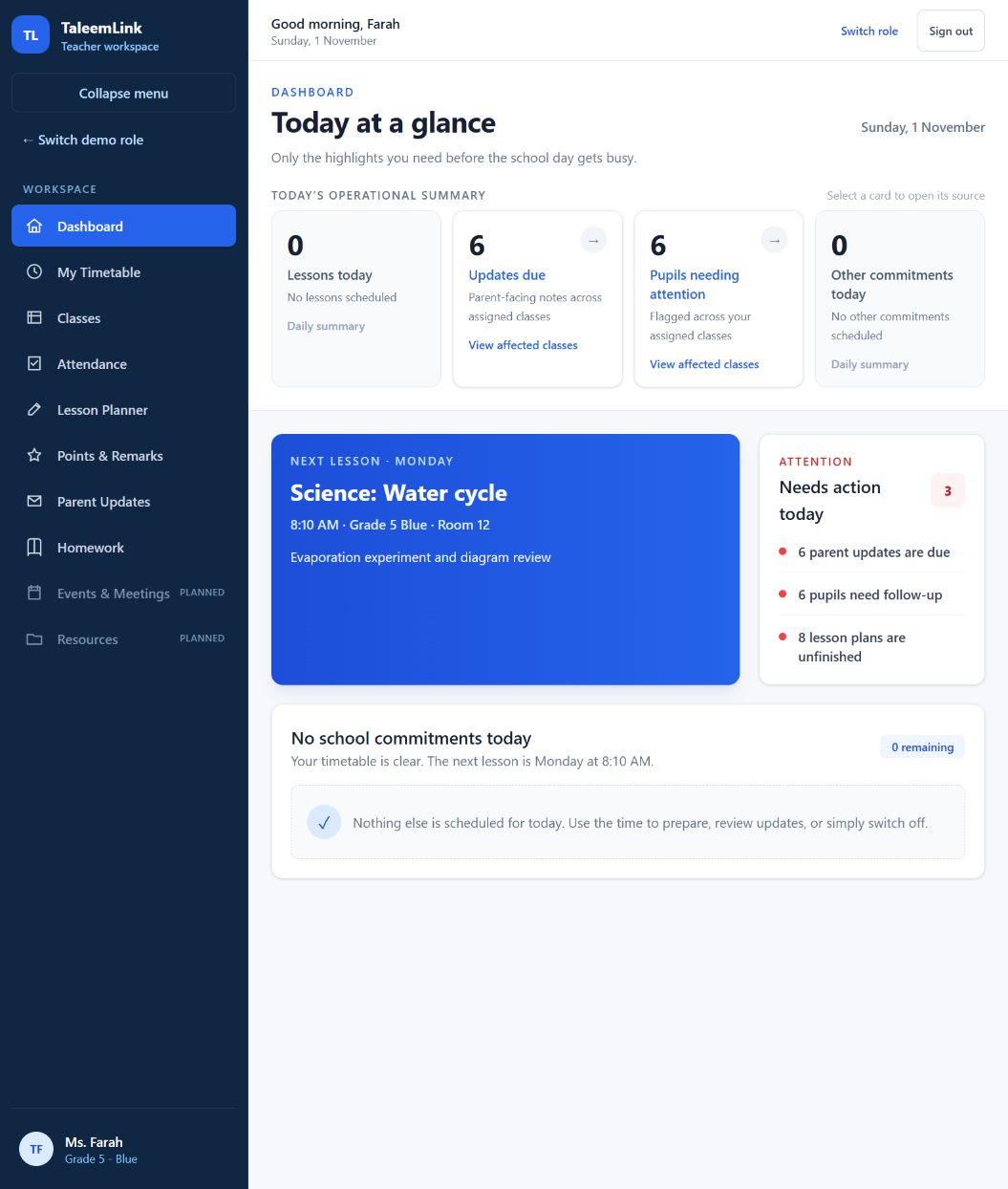
- Start on Dashboard. Summary cards take you to the source of an item that needs attention.
- Choose My Timetable for the week, or Classes to review the assigned class examples.
- Choose Attendance, Lesson Planner, Points & Remarks, Parent Updates or Homework for the task you want to explore.
- For homework, choose the class and whether the task is for the whole class or one pupil. Review the audience before publishing.
- Check the success message and history after saving. Use only invented text in this demonstration.
- Select Sign out before leaving a shared device.
Expected outcome
You know where to find the teacher tools and how to check which family will see a task.
Availability & important notes
Events & Meetings and Resources are planned. Real-school assignment policies, permanent records and delivery are separate production release requirements.
Still need help?
Start with your school administrator for account access or school records. Use the school’s known contact if the site is unavailable. Never share your password.
How to get support →